Generator 11 (Used)
Generator 11 (Used)
We have this item in stock and ready to ship.
Couldn't load pickup availability
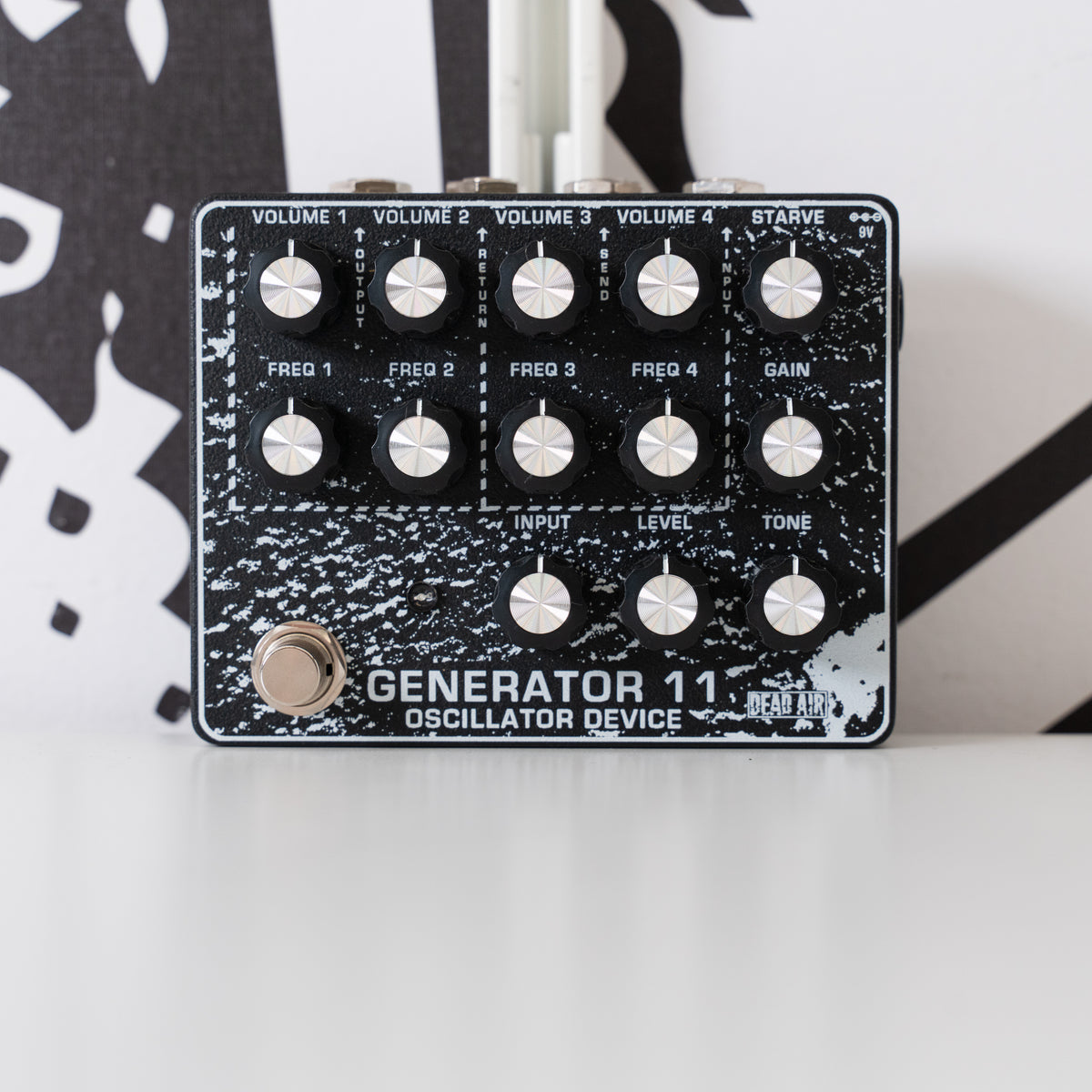
Dead Air's Generator series of pedals are standalone drone machines that are also capable of processing external sounds.
FOUR OSCILLATORS
The 4 oscillators are tuned in pairs. Oscillators 1 and 2 (on the left) are tuned the same and have a lower range. Oscillators 3 and 4 (on the right) are tuned slightly higher and have the same range as each other.
GAIN
Ranging from clean to fuzzy, this control will greatly shape the vibe of your output. For chiller drones etc, keep GAIN all the way down, or turn it up for more ominous sounds. When turning up the STARVE knob for noise and weird textures, pushing the GAIN from noon to all the way up can reveal details and depth that had been hiding in the shadows.
STARVE
This knob unlocks the weird and unusual by reducing the voltage to the oscillators. All the way down is the full voltage and “normal” setting. Slightly raising the STARVE knob can produce pitch bends and remains more musical. As you turn the knob higher, it will become more chaotic, noisy, and textured.
*An important note when using the STARVE control is that the oscillator controls become less…. controlled. For example, the Frequency knob of an oscillator with its volume all the way down can still have a very audible impact. And the volume knobs will shift more than just volume, it will affect intensity, but also at times pitch and character. In other words, when the oscillators are starved, ALL of the VOLUME and FREQUENCY knobs come into play. That said, turning VOLUME and FREQUENCY all the way down on one of the oscillators does reduce that oscillator's impact the most.
TONE
A Tile style EQ for the Drone Oscillators - create and emphasize interesting textures. Turning counter clockwise adds lows and removes highs. Turning clockwise adds highs and removes lows.
LEVEL - OSCILLATOR MASTER VOLUME
Find the perfect LEVEL for your output volume without disturbing the balance and blend of the individual oscillator's VOLUME controls.
INPUT LEVEL
Your un-effected input signal can pass through, and be boosted if need be by the INPUT knob on Generator 11. Turn all the way down for no input signal.
EFFECTS LOOP
With SEND and RETURN jacks at the top of the pedal, you can send the Oscillators to as many additional effects as you like, without effecting your input signal. Wash your soundscape in reverb, phaser, or fuzz. Experiment with pitch effects or synth pedals. All while your dry signal passes through untouched. The effects loop is located after the Level Master Volume control and after the Tone control. This means that you can perform volume swells and filter sweeps into these effects. It also means that if your effects in the loop have a volume control, that it will become the master volume for the oscillator signal.
This used unit is in great condition and comes in the original box.